Sondermodelle
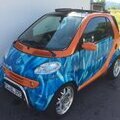
Dies ist der Bereich für alle smart Sondermodelle, wie z.B. crossblade, limited/1, blue motion, blackbeat, silverstyle usw.
122 Themen in diesem Forum
-

- 2 Antworten
- 940 Aufrufe
 Timo
-

- 2 Antworten
- 929 Aufrufe
 Ahnungslos
-

- 0 Antworten
- 927 Aufrufe
smart911 -
- 1 Antwort
- 913 Aufrufe
Timo -

- 2 Antworten
- 886 Aufrufe
smart_Center_Essen -

- 1 Antwort
- 875 Aufrufe
Timo -
- 0 Antworten
- 870 Aufrufe
schaefca -

- 0 Antworten
- 854 Aufrufe
Clood -

- 0 Antworten
- 840 Aufrufe
Sven_Bader -

- 0 Antworten
- 831 Aufrufe
Elmar -
- 4 Antworten
- 814 Aufrufe
 krause
-

- 6 Antworten
- 809 Aufrufe
 Chris2605x
-

- 1 Antwort
- 733 Aufrufe
 carsten_frahlmann
-

- 0 Antworten
- 672 Aufrufe
Star_Black -

- 0 Antworten
- 620 Aufrufe
blakmotion -

-

- 12 Antworten
- 488 Aufrufe
Smartyyy -
- 1 Antwort
- 418 Aufrufe
 380Volt
-

- 4 Antworten
- 311 Aufrufe
 red-peter
-

- 29 Antworten
- 264 Aufrufe
Ghostimaster -

- 14 Antworten
- 202 Aufrufe
 SmartManI
-

- 20 Antworten
- 148 Aufrufe
SmartManI